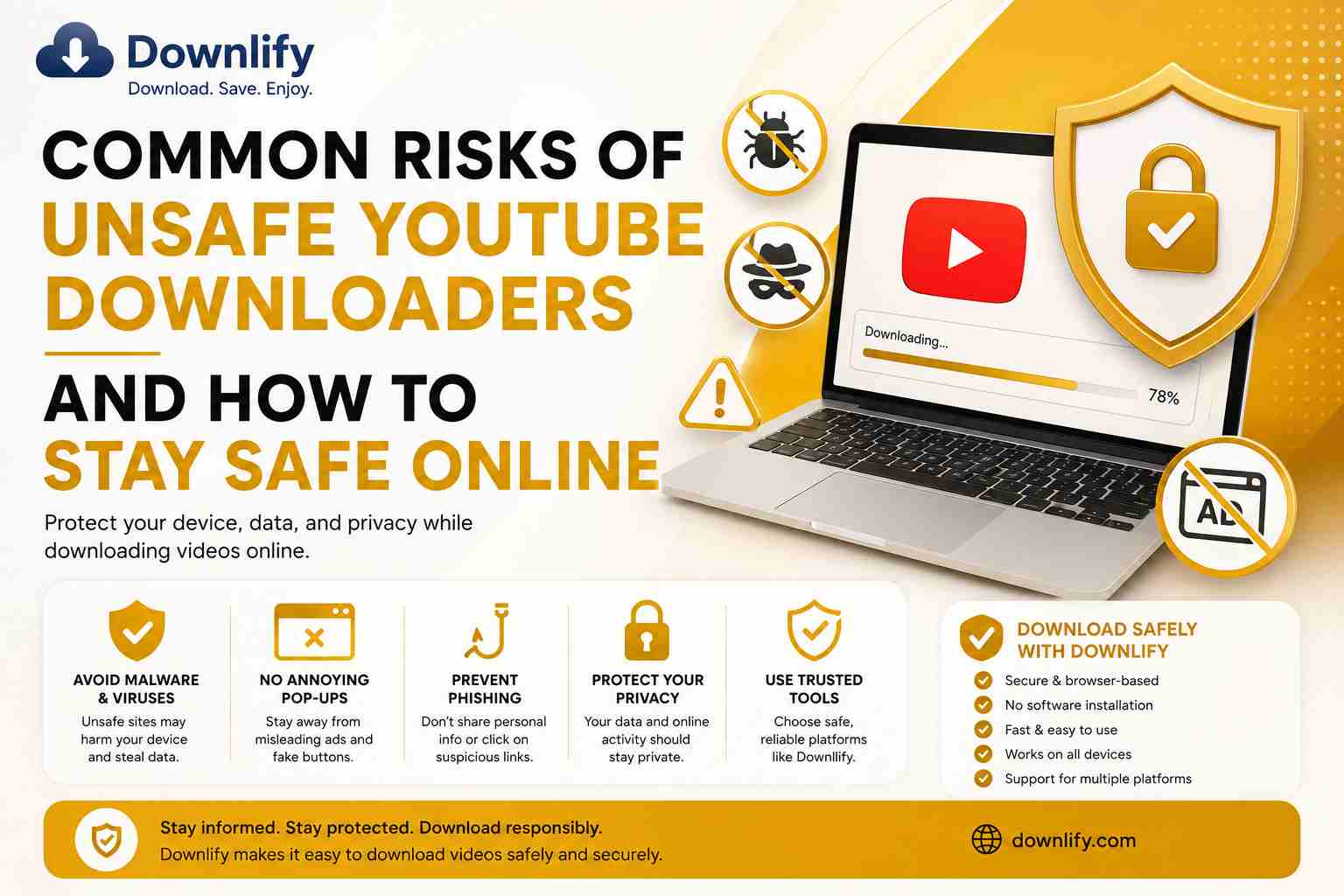
Downloading videos from the internet has become increasingly popular. Whether you're saving educational content, tutorials, music, or public-domain videos for offline viewing, choosing the right downloader is just as important as the content you're downloading.
Unfortunately, not every video downloader is safe. Some websites expose users to malware, intrusive ads, phishing attempts, or unnecessary requests for personal information.
In this guide, we'll explore the most common risks of unsafe YouTube downloaders and share practical tips to help you stay safe online while using Downlify.
Why Choosing a Safe Downloader Matters
A video downloader should make your experience easier—not put your privacy or device at risk.
Trusted downloaders focus on:
- Secure browsing
- Simple user experience
- Fast downloads
- Privacy protection
- Reliable performance
Using a reputable platform reduces the chances of encountering harmful software or deceptive practices.
Common Risks of Unsafe YouTube Downloaders
1. Malware and Viruses
Some download websites bundle harmful software with downloads or display deceptive buttons that lead to malicious files.
These threats can:
- Damage your computer
- Slow down your device
- Steal personal information
- Install unwanted programs
Always verify what you're downloading before opening any file.
2. Excessive Pop-Up Ads
Many low-quality download websites rely on aggressive advertising.
Common signs include:
- Multiple pop-up windows
- Automatic redirects
- Fake "Download" buttons
- Misleading notifications
These distractions not only create a poor user experience but may also lead users to unsafe websites.
3. Phishing Attempts
Some websites attempt to trick visitors into revealing sensitive information such as:
- Email addresses
- Passwords
- Payment information
Be cautious of any downloader that asks for information unrelated to the download process.
4. Requests for Social Media Passwords
A trusted downloader should never ask for your YouTube or Google account password to download publicly accessible videos.
Never enter your login credentials into an unfamiliar website unless you are certain it is the official service.
5. Poor Privacy Practices
Some websites collect excessive personal data or track user activity without transparency.
Choose platforms that prioritize user privacy and only collect the information necessary to provide their services.
6. Fake Download Buttons
Many unsafe websites intentionally display multiple download buttons to confuse visitors.
Always make sure you're clicking the correct download option rather than a sponsored advertisement or redirect.
How Downlify Helps You Download More Safely
Downlify is designed with simplicity and user experience in mind.
Key benefits include:
- Secure browser-based experience
- Fast processing of supported links
- Clean and easy-to-use interface
- No software installation required
- Works across desktop and mobile devices
- Support for multiple popular platforms
By keeping the download process straightforward, Downlify helps users avoid many of the frustrations commonly associated with low-quality downloader websites.
Tips to Stay Safe When Downloading Videos
Following a few simple habits can significantly improve your online safety.
Use Trusted Websites
Stick to reputable download platforms with a clear interface and transparent functionality.
Keep Your Browser Updated
Modern browsers include important security improvements that help protect against malicious websites.
Avoid Downloading Unknown Software
If a website insists that you install additional software before downloading a video, proceed with caution.
Check Website Security
Look for HTTPS in the website address before entering any information or downloading content.
Never Share Your Password
Legitimate downloaders should not require your YouTube, Google, or social media passwords for publicly available content.
Respect Copyright
Download only content you have permission to use or content that is legally available for download. Respecting creators' rights helps support a healthy online ecosystem.
Frequently Asked Questions
Is It Safe to Download YouTube Videos?
Downloading itself is not inherently unsafe. However, your safety largely depends on the website or tool you choose. Using a reputable platform and following good online security practices can reduce potential risks.
Does Downlify Require Software Installation?
No. Downlify works directly in your web browser, so there is no need to install additional software.
Does Downlify Work on Mobile Devices?
Yes. Downlify is compatible with most modern smartphones, tablets, laptops, and desktop computers.
Do I Need to Create an Account?
No. Many of Downlify's features can be used without registration, allowing you to get started quickly.
Related Articles
Explore more helpful guides on Downlify:
- Free YouTube to MP3 Converter – Learn how to convert supported YouTube videos into high-quality MP3 files for offline listening.
- How to Convert YouTube Videos to MP3 Using Downlify – A simple step-by-step guide to converting YouTube videos into MP3.
- Is It Safe to Download Instagram Reels? – Learn how to download Instagram Reels responsibly while protecting your privacy and respecting creators.
- How to Download Instagram Videos – Discover how to save supported Instagram videos quickly and easily.
- Best Free Online Video Downloader – Explore the benefits of using a reliable online downloader for multiple platforms.
These related articles provide additional tips and tutorials while strengthening the connection between Downlify's educational content.
Final Thoughts
Staying safe online starts with choosing trustworthy tools and practicing good digital habits. While unsafe downloaders can expose users to malware, phishing, intrusive ads, and privacy risks, these issues are often avoidable by selecting reputable platforms and remaining cautious online.
Downlify is built to provide a clean, browser-based experience that makes downloading supported content straightforward and user-friendly. Combined with responsible downloading practices and respect for creators' rights, it offers a practical solution for users looking to save content for offline use.
SEO Focus Keywords
- Common Risks of Unsafe YouTube Downloaders
- Safe YouTube Downloader
- YouTube Downloader Security
- Secure Video Downloader
- Online Video Downloader
- Downlify
- Safe YouTube Downloads
- YouTube Download Tips
- Download Videos Safely
- Browser-Based Video Downloader
Comments (0)
Leave a Comment